
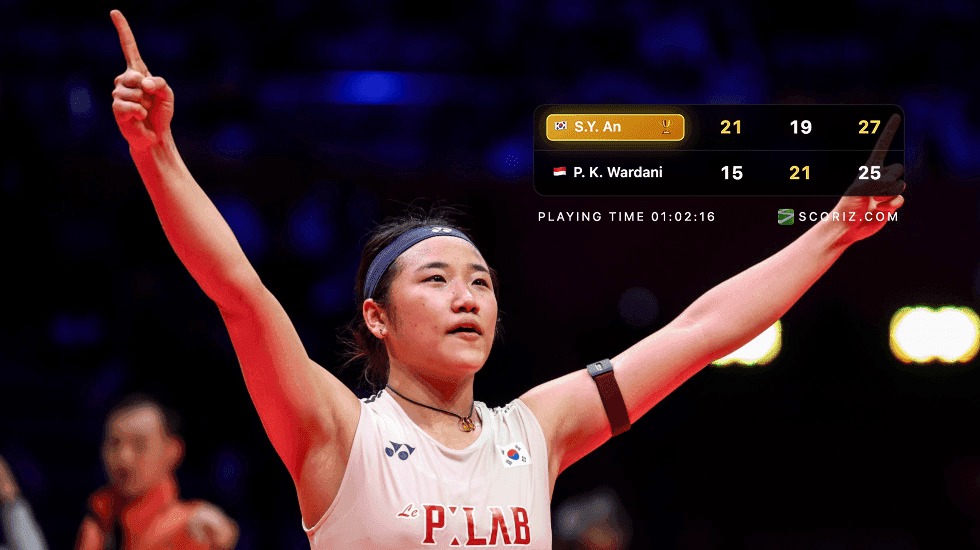
Photo by korea.net
How to Download or Share Scoreboard Results on Social Media
How to Download or Share Scoreboard Results on Social Media
Final scores are easiest to trust when they are captured right after the match ends. A clean scoreboard image gives players, coaches, clubs, and followers the same result without typing mistakes or unclear screenshots. This guide explains how to download or share a Scoriz scoreboard result and turn it into a useful social media post.
Why Export the Scoreboard Result
Sharing a scoreboard result is useful for:
- Posting match updates to Instagram, Facebook, X, TikTok, or WhatsApp
- Sending final scores to absent teammates or parents
- Keeping tournament records
- Creating club recap posts
- Saving proof before resetting the scoreboard
The best habit is simple: capture the result before you reset the match.
Prepare the Scoreboard Before Sharing
Before you tap Share or Download, check the visible scoreboard:
- Player or team names are correct
- Final score is confirmed by players or officials
- Set table shows the right winner
- Playing time is shown or hidden as you prefer
- The screen is not mid-correction
If the scoreboard is still being corrected, wait until the final version is stable. Social posts spread quickly, so the first image should be the right one.
Option 1: Use the Share Button
Use the Share button when you want to send the result directly from your device.
Typical flow:
- Finish the match and confirm the final score.
- Tap Share on the scoreboard page.
- Choose the app you want to use, such as Instagram, WhatsApp, Facebook, Messages, or another installed app.
- Add a short caption.
- Post or send the scoreboard image.
On supported phones and browsers, Scoriz shares the scoreboard as a PNG image through the device's native share sheet. If the browser cannot share image files directly, the app can fall back to sharing text or downloading the image instead.
Option 2: Use the Download Button
Use the Download button when you want a local copy first.
This is helpful if you plan to:
- Edit the result in a design app
- Add sponsor logos or event branding
- Post later from another device
- Archive match results in a folder
- Send the image to a media manager
After downloading, look for the PNG file in your browser's downloads folder or your phone's saved files. From there, upload it like any other image.
Recommended Caption Format
Keep social media captions short and readable. A reliable structure:
Final Score
Player A def. Player B
6-4, 3-6, 10-8

Great match at [Club/Event Name].
#tennis #scoreboard #matchday
For doubles or team matches, include team names first and detailed player names only if space allows.
Platform Tips
For Instagram Stories:
- Use the downloaded scoreboard image as the main visual
- Keep stickers away from the score area
- Add venue, club, or event tags near the edge
For Instagram Feed or Facebook:
- Use a clear caption with final score
- Mention both players or teams
- Add event name and round if relevant
For WhatsApp groups:
- Share immediately after match confirmation
- Add one short message, such as "Final result confirmed"
- Avoid sending multiple corrected versions unless necessary
For tournament admins:
- Download the image and store it with a consistent file name
- Include date, court, round, and player names in your record system
- Post only after official verification
Avoid Common Sharing Mistakes
The most common mistakes are:
- Resetting the scoreboard before saving the final result
- Sharing while the score is still disputed
- Cropping out the player names
- Covering the score with stickers or text
- Posting a result with the wrong sport format
A 10-second review before posting prevents most corrections later.
Privacy and Fairness
For casual matches, ask before tagging players publicly. For junior matches, follow club or parent guidelines before posting names, photos, or identifiable details. The scoreboard result is useful, but it should still respect the people in the match.
Final Takeaway
Use Share for fast posting and Download when you need a saved PNG for editing, archiving, or scheduled posts. Confirm the result first, capture before resetting, and keep captions simple. A clean scoreboard image makes every match update easier to read and easier to trust.