
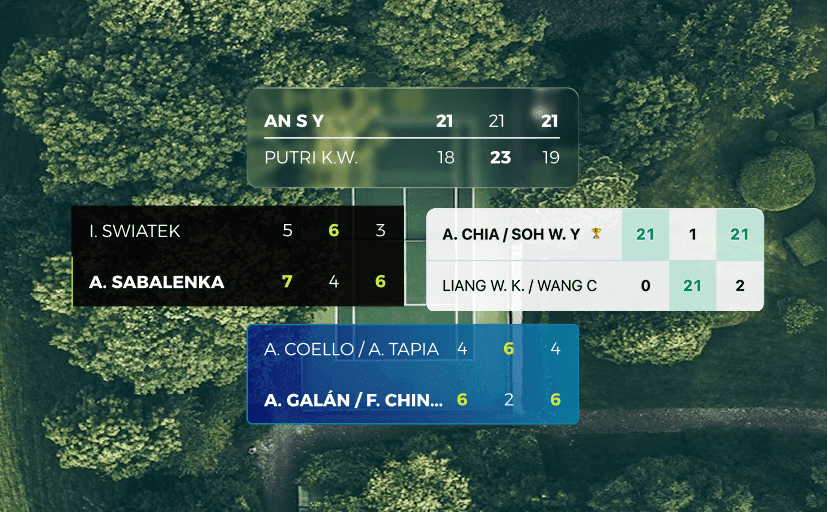
Photo by Ryan Searle on unsplash.com
New Scoreboard Styles: Customize Your Match Results
New Scoreboard Styles: Customize Your Match Results
Your match results now have a fresh new look. Scoriz introduces four distinct scoreboard styles that let you choose how your final scores appear when you share or download them. Whether you prefer a clean classic layout or something more modern and eye-catching, there is a style that fits your taste.
Four Styles to Choose From
Each style changes the visual appearance of your scoreboard result card. The score data stays the same, but the look and feel changes entirely.
Default
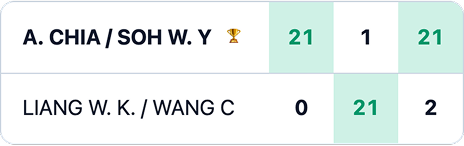
The original Scoriz scoreboard. A solid dark background with clear white text and a structured set table. This style is familiar, easy to read at any size, and works well for official tournament posts where clarity matters most.
Smoke
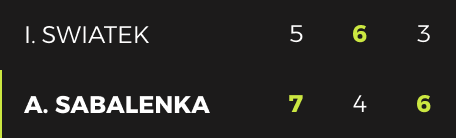
A darker, more dramatic take on the scoreboard. Smoke uses a deep dark theme with subtle contrast and refined typography. It gives your match results a sleek, professional appearance that stands out on dark-themed social media feeds.
Glass
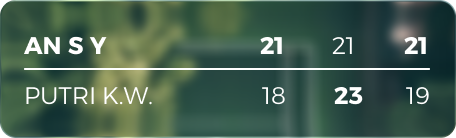
A translucent, frosted-glass effect that blends with any background. Glass adds a modern, layered feel to the scoreboard with soft transparency and light borders. It looks great when shared over photos or colorful backgrounds, making it a popular choice for Instagram Stories and creative posts.
Breeze
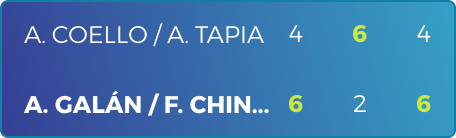
A light, airy design with a bright color palette. Breeze uses soft gradients and a clean layout that feels fresh and modern. It is perfect for casual matches, club events, or any post where you want a lighter, more inviting tone.
How to Use a Scoreboard Style
Switching styles is simple and takes just a few taps:
- Finish your match as usual.
- When the match is completed, the result screen will appear.
- Below the scoreboard, you will see the style options: Default, Smoke, Glass, and Breeze.
- Tap on any style to preview how your scoreboard looks with that design.
- Once you have picked a style, use the Share or Download button to export your scoreboard.
The style you select only affects the visual output. It does not change any match data, scores, or player names.
Download and Share Your Styled Scoreboard
After choosing your preferred style:
- Download saves the scoreboard as a PNG image to your device. Use this when you want to edit the image later, add it to a design, or archive match results.
- Share sends the scoreboard image directly to apps like WhatsApp, Instagram, Facebook, X, or any other app that supports image sharing through your device's share sheet.
Both options capture the scoreboard exactly as it appears on screen, including the style you selected.
Tips for Choosing the Right Style
Consider where you plan to post:
- Tournament or official results: Default or Smoke work best for readability and professional look.
- Instagram Stories or Reels: Glass creates an attractive overlay effect, especially when layered on top of match photos.
- Club group chats or WhatsApp: Any style works, but Breeze and Default are the easiest to read on small screens.
- Social media feeds with dark mode: Smoke and Glass stand out with their darker tones.
Try It Now
The new scoreboard styles are available for all sports supported by Scoriz, including badminton, tennis, padel, table tennis, and pickleball. Open a match, finish it, and explore the style options on the result screen. Pick your favorite, download or share, and make every match result look as good as the game itself.